Enhanced GL Interface
The Enhanced GL Interface app will allow importing lines to General Journals and other journals using standard Data Exchange Definition, and additionally import more dimensions (up to 8 shortcut dimensions) than the default 2 Global Dimensions.
Set up Data Exchange Definition
Set up the Data Exchange Definition according to the file to be imported. Create field mapping for the columns to table 81 (Gen. Journal Line).
Importing Additional Dimensions
To be able to import additional dimensions besides Global Dimension to General Journal, create an additional Field Mapping rule (Create new entry).
For this entry select Table ID to 98 (General Ledger Setup) and click "Use as Intermediate Table". This table is only used to map the fields to dimension codes for the company that have been setup in General Ledger Setup. No data will be written the setup table!
Note! Type field must be "Generic Import" or "Payroll Import"
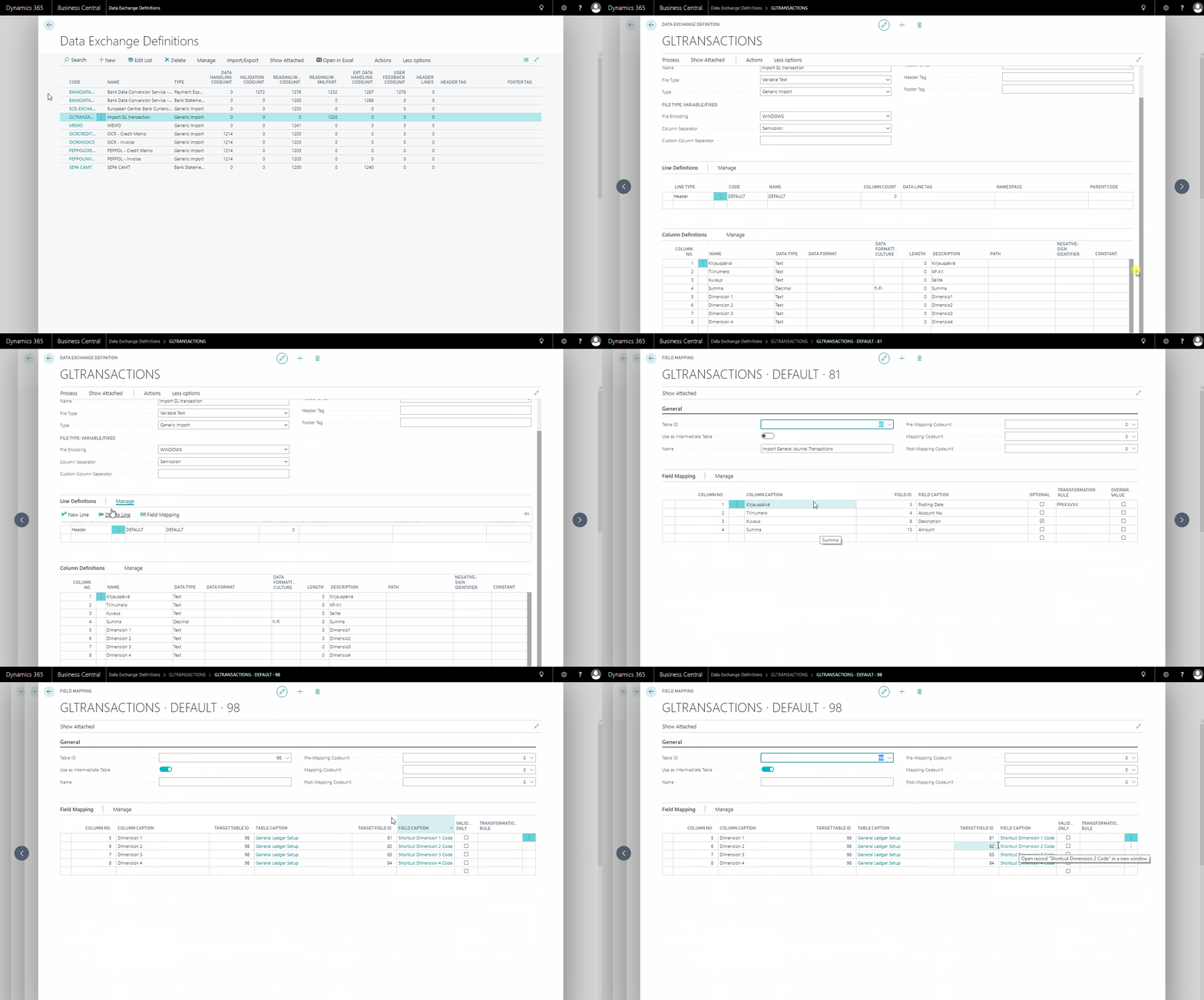
Importing to General Journal
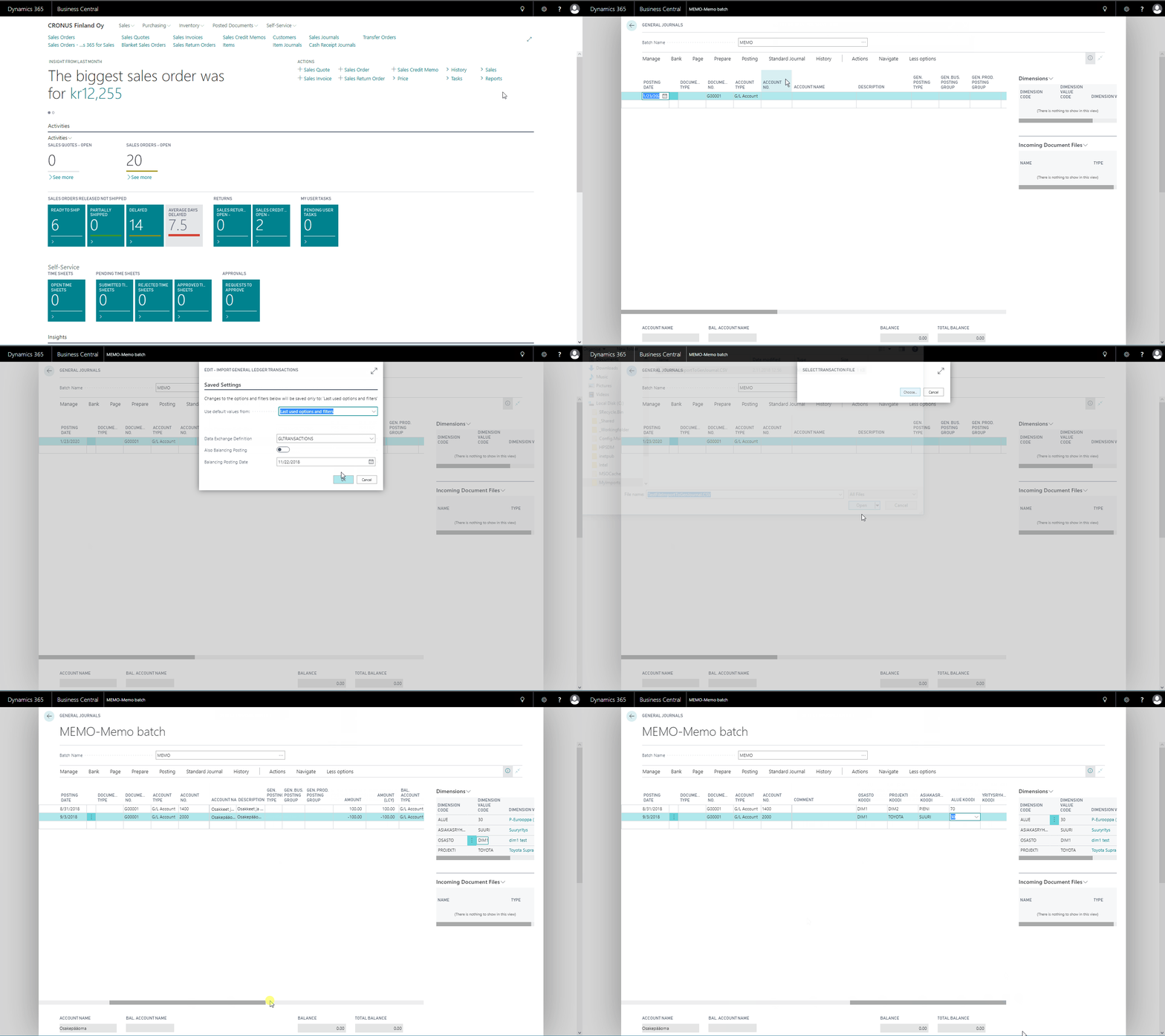
- From General Journal select Actions > Functions > Import Transactions
- Select the Data Exchange Definition to be used for import, click ok
- Choose the file to be imported and click Open
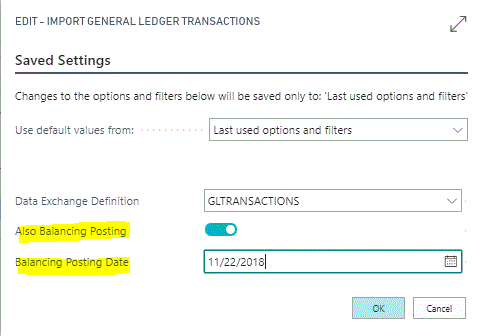
Balance Posting
Optionally it is possible to create balancing lines to the Journal by selecting "Also Balancing Posting" option. It is also possible to set a different posting date for Balancing entries, leave the date empty if same posting date should be used.
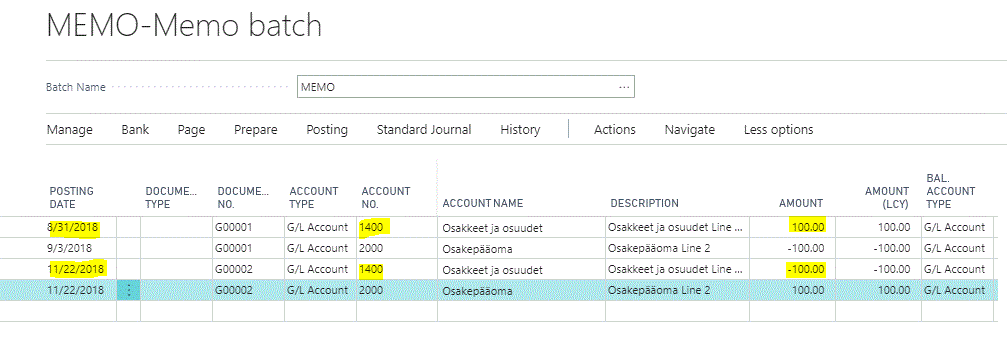
Note! For balancing entries the Amount will be reversed