Finnish Trade Register Lookup For Business Central
With this extension, you can seamlessly fetch information from the Finnish Trade Register (YTJ) directly into Business Central. This app simplifies the process of setting up new Customers and Vendors, eliminating the need for manual data entry. Additionally, you can configure a periodic job via the Job Queue to automatically update the data in Business Central.
The extension also allows you to log changes in company registration data and send notifications to users when significant updates occur. For example, you can be alerted when a company registered as a Vendor becomes VAT-liable, ensuring you stay informed about critical changes.
Finnish Trade Registry Lookup
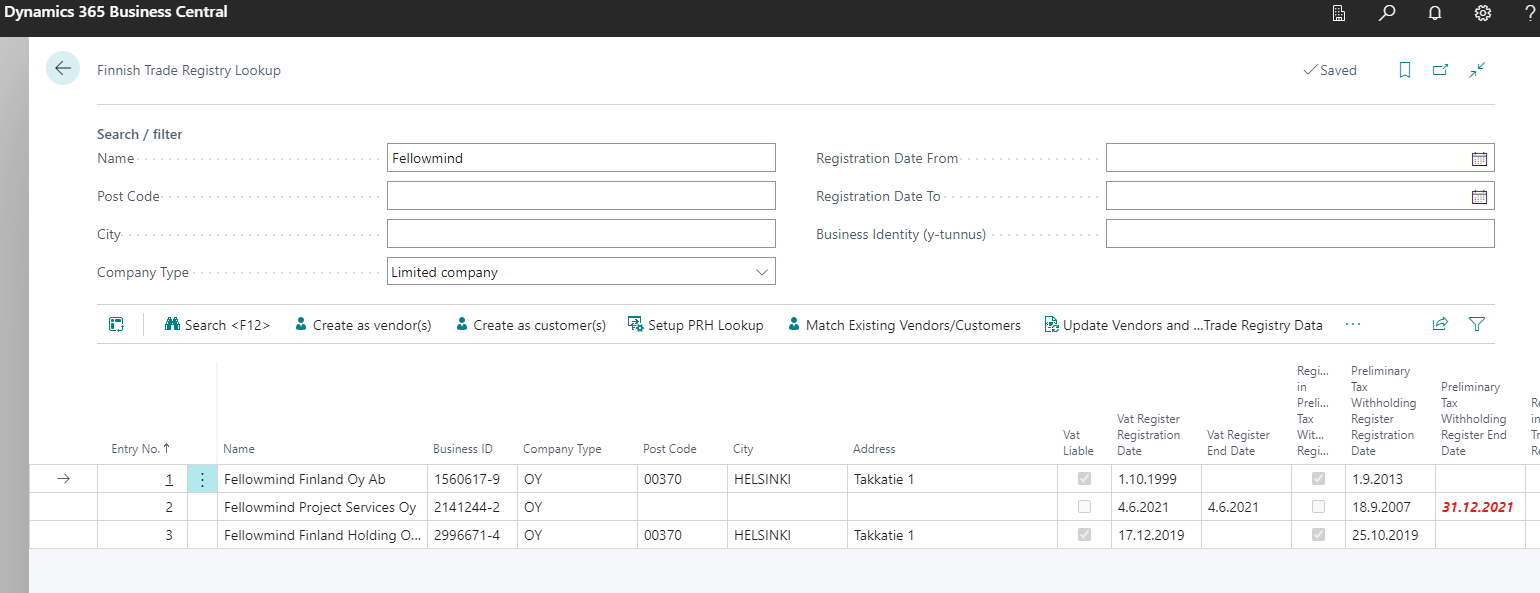
In the lookup page, using search criteria click Search (or press F12)
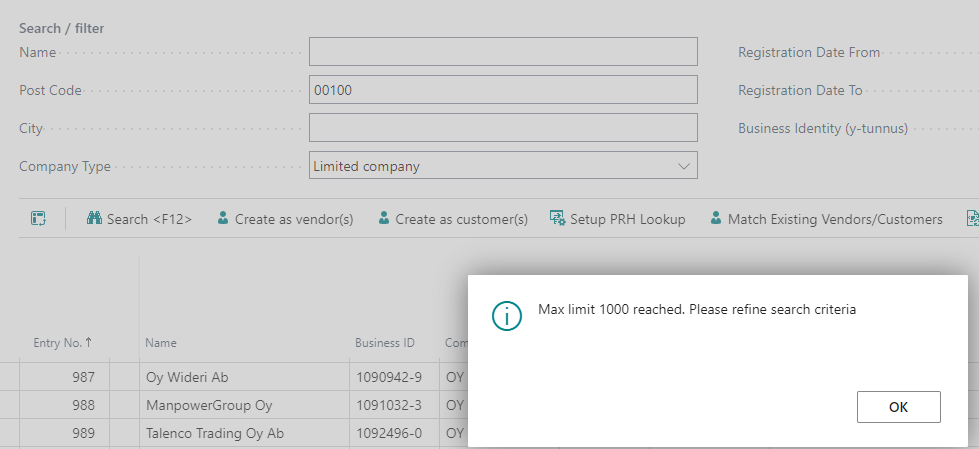
If the search criteria are too broad, such as when retrieving all registered companies by postal code, the results may reach the maximum limit of 1,000 entries.
Finnish Trade Registry Lookup - Setup
On the setup page, you can define Customer and Vendor templates that will be automatically applied when creating new records.
A default mapping setup is automatically created. If needed, you can customize the field mappings, for example, by mapping a field to a PTE field.
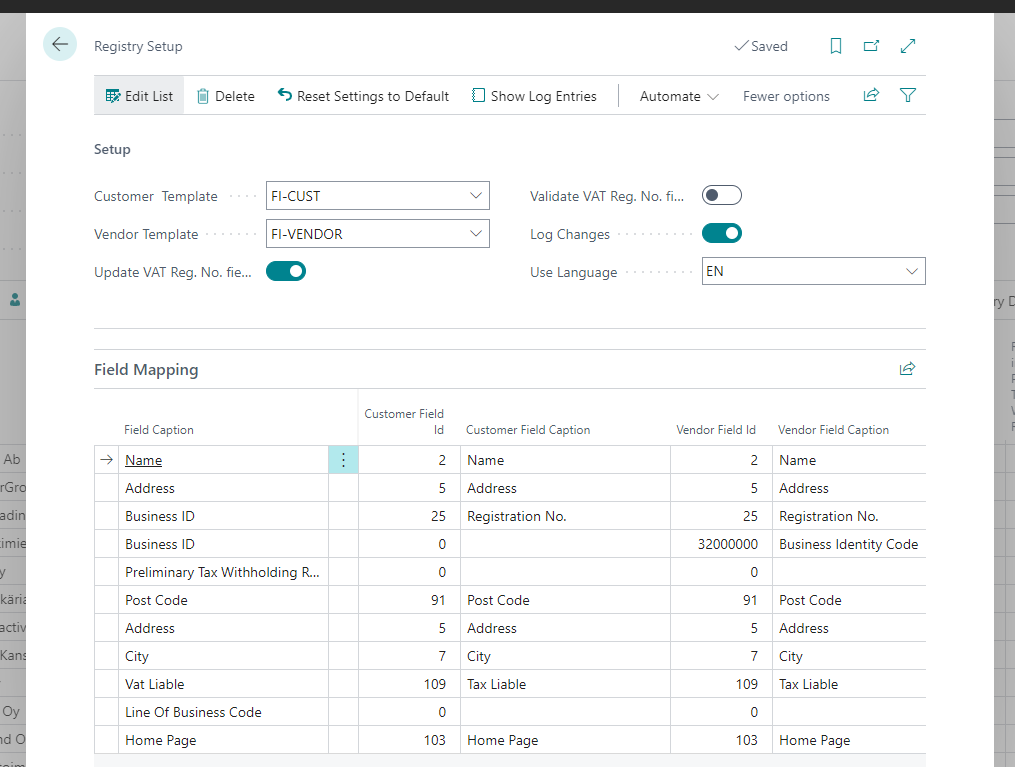
- Update VAT Reg. No. field if VAT Liable: When selected, the VAT Reg. No. field will be automatically updated if the company is VAT-liable. For example, if the Business ID is 1234567-8 and the company is VAT-liable, the VAT Reg. No. field will be updated to FI12345678
- Validate VAT Reg. No. field if VAT Liable: When selected, the VAT Reg. No. field will not only be updated but also validated. Depending on the configuration in the EU VAT Registration No. Validation Service Setup, the VAT Reg. No. will be verified using an external web service.
- Log Changes: When selected, changes to Trade Register information for customers and vendors will be logged in the Trade Registry Log. This log can be used to proactively send notifications when important changes occur.
- Use Language: This is primarily used when retrieving the Line of Business Description from the Trade Register. As a best practice, it is recommended to use the main language preferred by the company's users.
Match Existing Vendors/Customers
If Business Central has been in use for some time, there will likely already be existing (FI) Vendors and Customers. These records will need to be coupled with the Finnish Trade Register Lookup app. This can be accomplished in two ways:
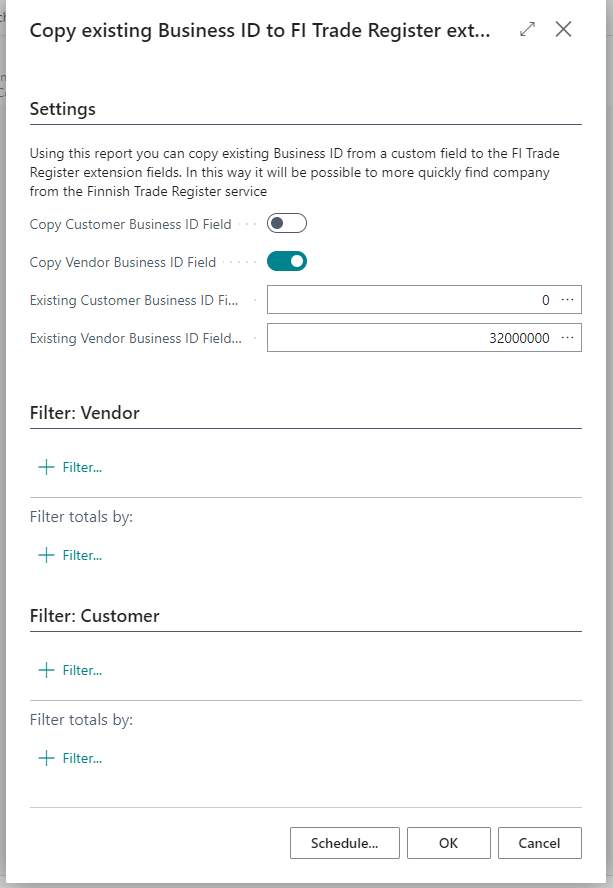
If the company registration number (y-tunnus) is already present on the Customer/Vendor card, the simplest method is to copy it into a designated field within this extension, called "Business Identity Code FMD". This can be done easily using the "Copy existing Business ID to FI Trade Register extension" feature.
Another option, if the Finnish company registration number (y-tunnus) is unknown, is to search for a match in the Trade Register using available information such as the company name, postal code, city, or other relevant details.
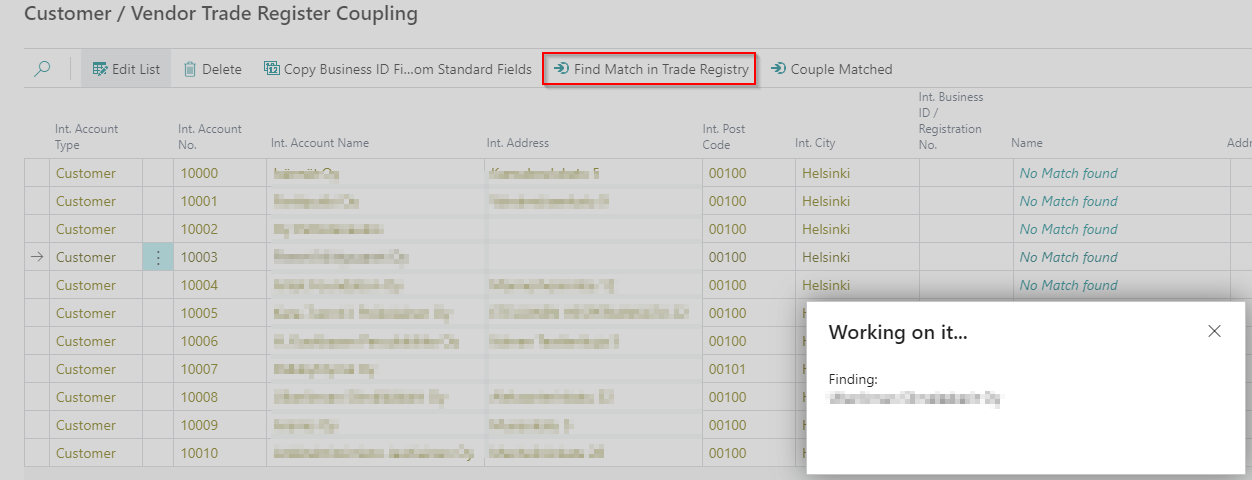
When a match is found, using the "Couple Matched" action will update the Business ID and other relevant fields used by this extension on the Customer or Vendor record.
Creating Vendors and Customers
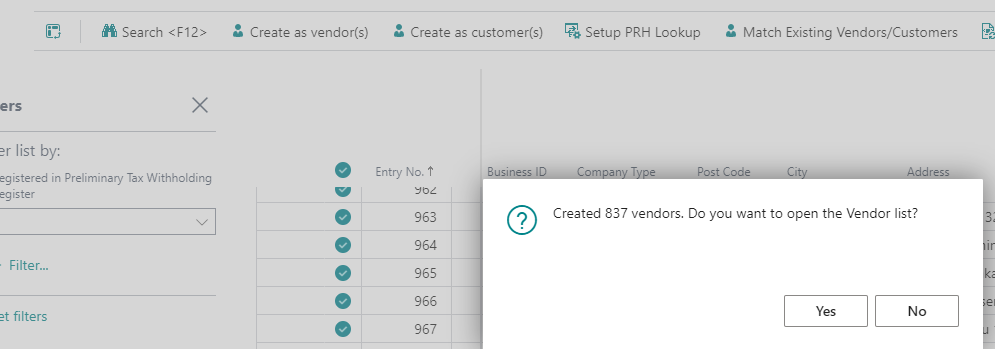
The "Create as Vendor" button enables you to create one or multiple vendors. Start by selecting the desired entries
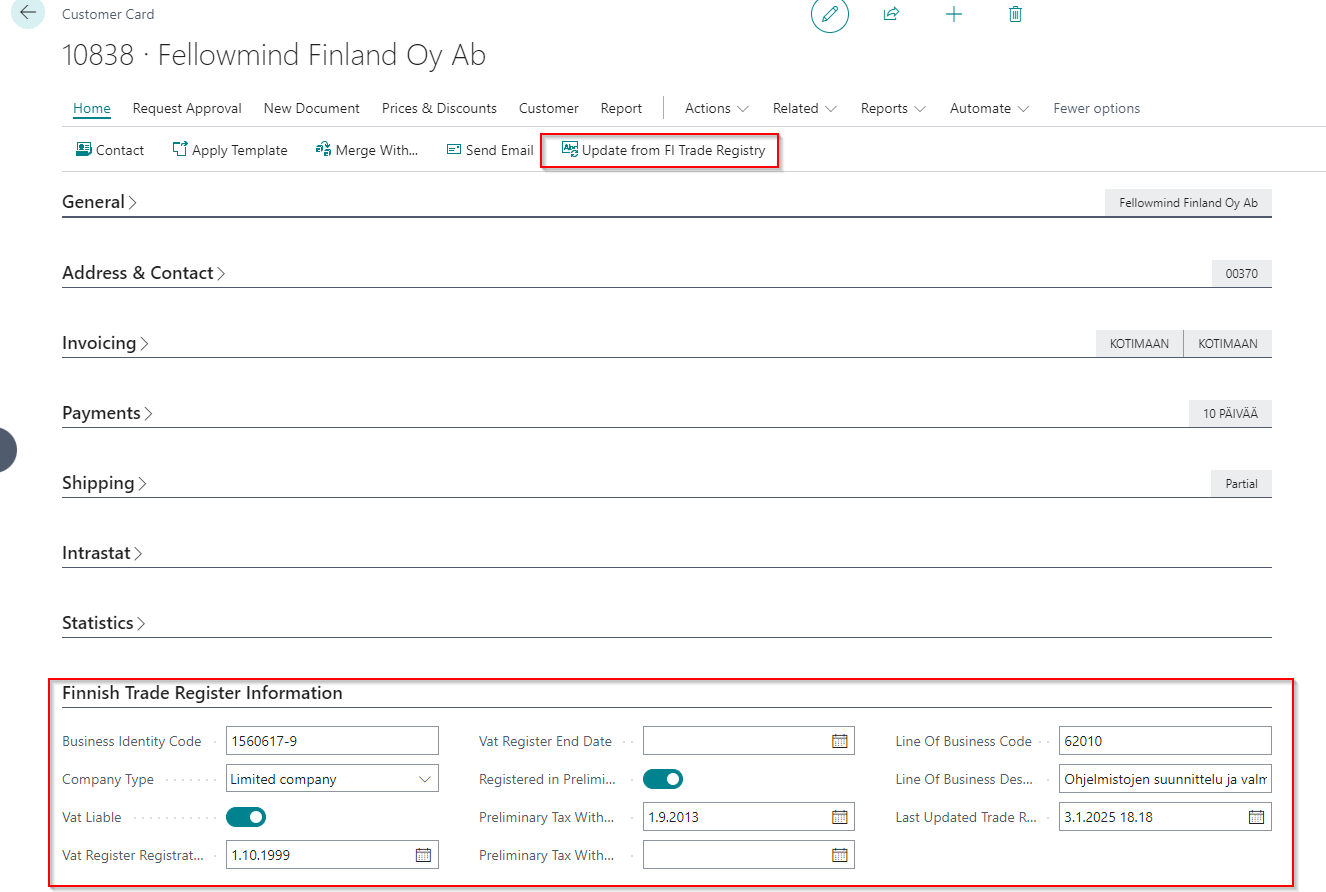
Customer and Vendor Card
The Finnish Trade Register Information fast tab displays information retrieved from the Finnish Trade Register. These fields are non-editable. To update the information, use the Update from FI Trade Registry action button.
Automatically fetch information
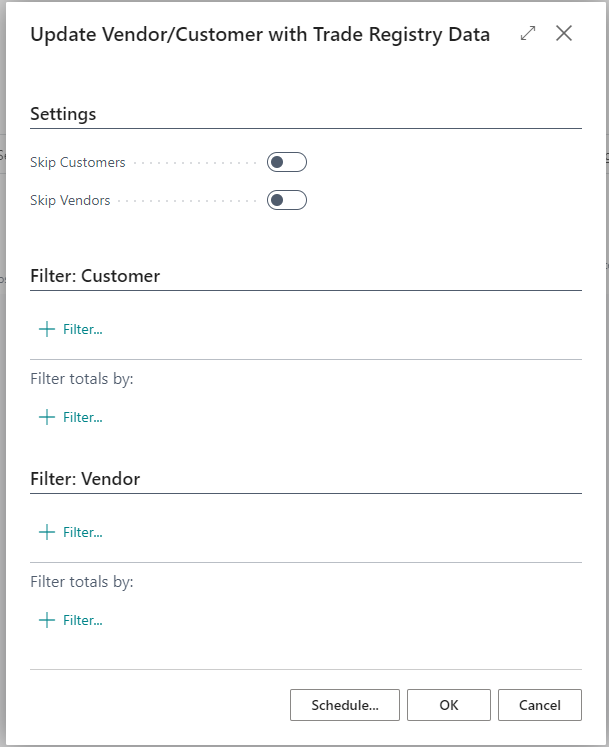
You can update all customer and vendor data by running the "Update Vendor/Customer with Trade Registry Data" batch report. This report allows you to apply filters as needed and optionally skip either vendors or customers
This report can also be scheduled using Job Queue.